Internal docs
Onboarding notes, runbooks, project specs, and team wikis.
Keep dashboards, runbooks, project docs, meeting notes, and recurring tools one shortcut away. Open a new tab and start typing.
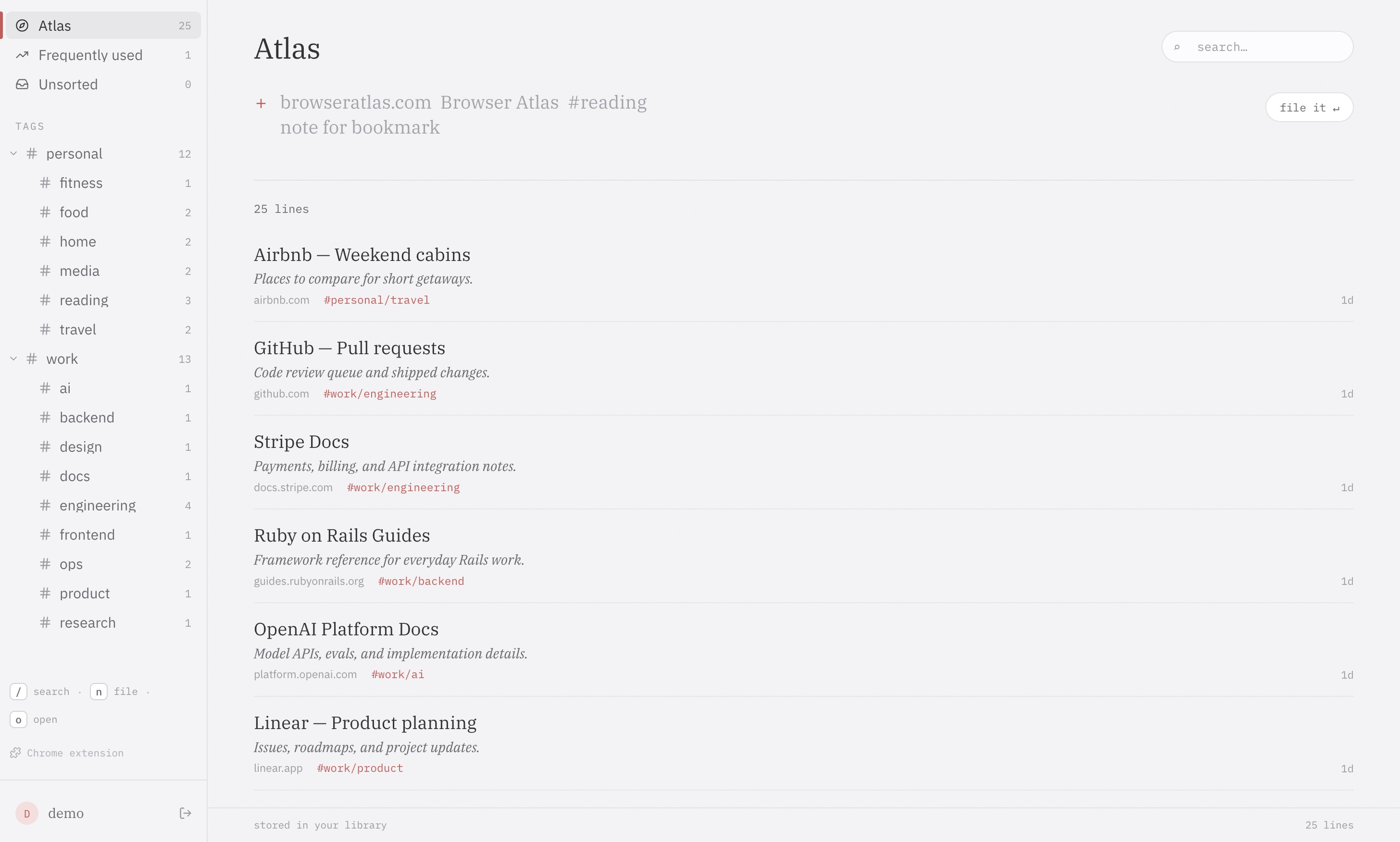
The whole app is one box
Paste a URL and it's filed instantly — no forms, no dialogs. Add a title and #tags as you go.
The same box searches everything you've saved — title, domain, and notes — and filters the list live with every keystroke.
The links you open most rise to Frequently used. Move entirely by keyboard: / to search, n to file, o to open.
For modern professionals
Browser Atlas is perfect for storing internal links and references: the dashboards, docs, briefs, playbooks, research, and decisions you reach for every week.
Onboarding notes, runbooks, project specs, and team wikis.
Dashboards, admin panels, reports, boards, and portals.
Briefs, folders, proposals, benchmarks, and saved examples.
PRDs, meeting notes, research tabs, and sources worth citing.
A quiet shorthand
Type the URL first, then a title, and add a #tag to file it. Press ↵ and it's filed.
New · Simple tag structure
A tag is just a path. Add a slash and it nests — #work/clients/acme is one tag, but it reads like a folder. No boards to build, no tree to set up first. Browser Atlas grows the structure as you type.
New · Scopes
Pick a top-level tag like #work as your scope, and the extension narrows to that branch. Search returns only what’s under it, while anything you save keeps the tag you entered. Scope changes what you see, not where a link is filed.
 Atlas
⚙
Atlas
⚙
Choose atlas · all to clear it.
Browser extension · optional
The Chrome extension files the current tab in one click and searches your whole library from a popup or side panel — same calm look, right where you browse.
Secure by design: bearer-token auth, revocable anytime — never your password.
Atlas
↻
⚙
craftinginterpreters.com #reading
guides.rubyonrails.org #work/rails
grugbrain.dev #reading
Bring your daily links together in under a minute. Free to start.
Start your library ↵