
 Add Atlas New Tab to Chrome
 Get it for Firefox
Search as you type
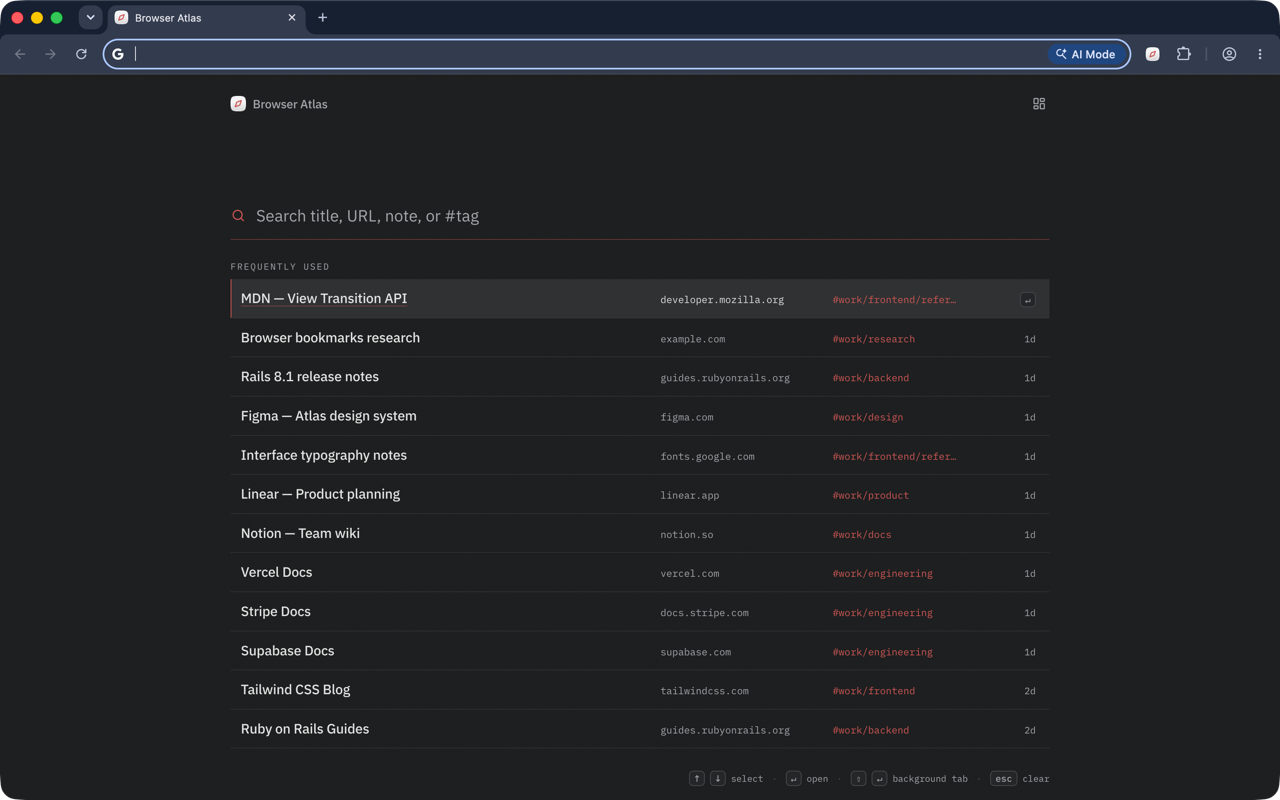
Find bookmarks by title, URL, note, or tag. Fuzzy matching handles rough queries.
Atlas New Tab replaces the empty browser page with your bookmark library. Open a tab, type a few letters, and press Enter.
Free to start. Chrome, Edge, and Firefox.
Find bookmarks by title, URL, note, or tag. Fuzzy matching handles rough queries.
Your frequently opened links rise to the top without pins or manual sorting.
Use arrow keys to choose, Enter to open, or Shift Enter for a background tab.
Cached results appear before the network responds, so your bookmark search is ready when the tab opens.